Facebook Dating has become one of the most popular ways to meet new people and build meaningful relationships without downloading a separate dating application. Since the feature is built directly into the Facebook app, many users often wonder where their conversations and messages are stored.
If you have recently matched with someone or are having trouble locating your chats, understanding how Facebook Dating messages work can save you time and frustration.
In this guide, you will learn how to find Facebook Dating messages on the FB app, why your messages may not be appearing, and what to do if you encounter any issues.
Understanding How Facebook Dating Messages Work
Before searching for your conversations, it is important to know that Facebook Dating messages are completely separate from Facebook Messenger. Even though both features belong to Facebook, chats from Dating do not appear inside Messenger, WhatsApp, or your regular Facebook inbox.
Whenever you match with someone on Facebook Dating, your conversation remains within the Dating section of the app. This separation helps maintain privacy and ensures that your dating activities are kept distinct from your regular Facebook interactions.
How To Find Facebook Dating Messages On The Facebook App
Finding your Facebook Dating conversations is relatively easy if you know where to look. Begin by opening the Facebook app on your smartphone and ensuring that you are logged into the account associated with your Dating profile.
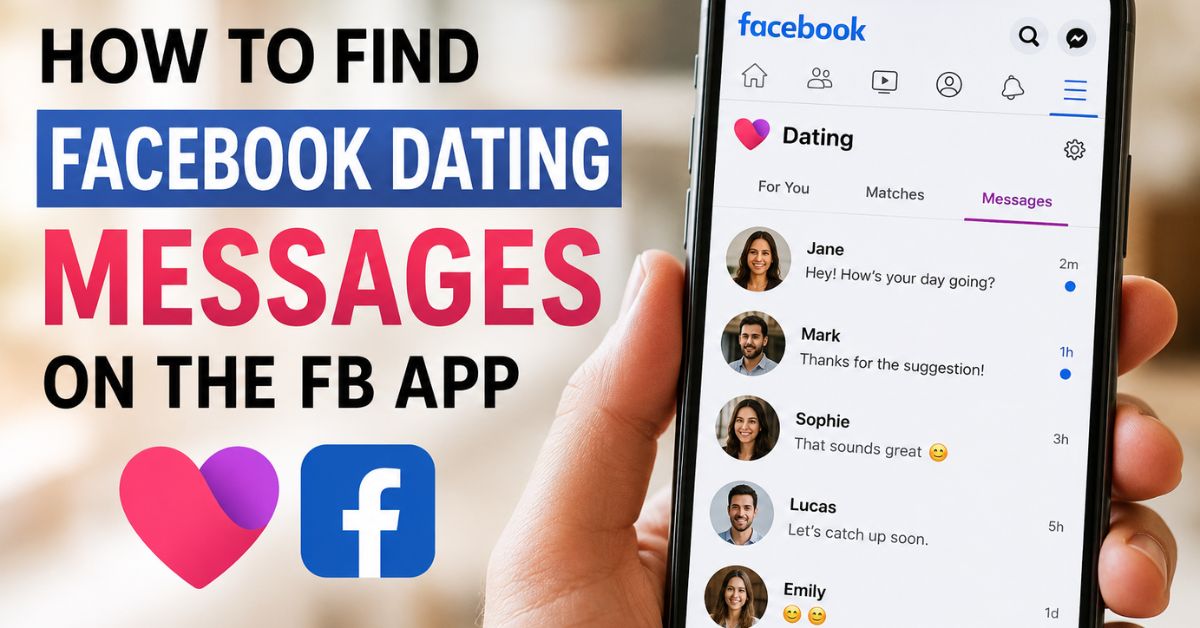
Next, tap the Menu icon, which appears as three horizontal lines. Scroll through the options and select “Dating.” Once the Dating section opens, look for the Messages or Conversations icon, usually located at the top-right corner of the screen.
Tapping this icon will display all your active chats and conversations with your matches. From there, you can continue chatting, send reactions, or revisit previous messages.
Why Can’t I Find My Facebook Dating Messages?
Sometimes users may experience difficulties locating their conversations. There are several reasons why this may happen.
You Are Looking in Messenger
One of the most common mistakes people make is searching for Dating messages inside Facebook Messenger. Since Facebook Dating has its own messaging system, your conversations will never appear in Messenger.
Your Match Unmatched You
If someone decides to unmatch with you, your conversation will disappear automatically. In such cases, the chat cannot be recovered.
Facebook Dating Is Unavailable
If the Dating feature is temporarily unavailable or experiencing technical issues, your messages may not load properly. Waiting a few hours and reopening the app often resolves the problem.
Outdated Facebook App
Using an older version of the Facebook app may prevent certain features from functioning correctly. Updating the app to the latest version can restore access to your messages.
Poor Internet Connection
A weak or unstable network connection may stop conversations from loading. Switching to a stronger Wi-Fi connection or mobile data can help.
How To Restore Missing Facebook Dating Messages
If your chats have disappeared unexpectedly, there are several troubleshooting methods you can try.
Start by closing the Facebook app completely and reopening it. If that doesn’t work, log out of your account and sign back in. You can also clear the app cache on your Android device or update the app through the Google Play Store or Apple App Store.
Another effective solution is to restart your phone. A simple reboot can often fix temporary glitches affecting Facebook Dating.
If none of these methods work, uninstalling and reinstalling the Facebook app may help restore normal functionality.
Tips For Managing Facebook Dating Chats
To enjoy a better experience while using Facebook Dating, it is important to maintain active conversations and respond promptly to your matches. Keeping your app updated ensures that you receive the latest features and security improvements.
You should also avoid sharing sensitive information too quickly and take time to get to know people before moving your conversations to other platforms.
Conclusion
Knowing how to find Facebook Dating messages on the FB app can make your online dating experience smoother and more enjoyable. Since Facebook Dating conversations are kept separate from Messenger, many users mistakenly assume their messages have disappeared when they are simply located inside the Dating section of the app.
By opening the Facebook app, navigating to the Dating tab, and selecting the conversation icon, you can quickly access your chats and continue building connections. If you experience any problems, updating the app, checking your internet connection, or restarting your device can often solve the issue.
As Facebook Dating continues to evolve, staying familiar with its features will help you make the most of the platform and connect with potential matches more effectively.
Frequently Asked Questions
Are Facebook Dating messages in Messenger?
No, Facebook Dating messages are completely separate from Messenger and can only be accessed through the Dating section of the Facebook app.
Where is the message icon on Facebook Dating?
The message or conversation icon is typically located at the top-right corner of the Dating home page.
Why did my Facebook Dating conversation disappear?
A conversation may disappear if the other person unmatched you, deleted their profile, or if there is a temporary issue with the app.
Can I access Facebook Dating messages on a computer?
No, Facebook Dating is currently designed for mobile devices and is only accessible through the Facebook app.
Can Deleted Facebook Dating Messages Be Recovered?
Unfortunately, Facebook Dating does not currently provide a feature that allows users to recover deleted conversations. Once a chat is deleted or a match disappears, the messages are generally gone permanently. For this reason, it is advisable to exchange contact information with someone you trust if you wish to preserve your conversations outside the platform.
Do I need Messenger to use Facebook Dating?
No, Facebook Dating has its own messaging system and does not require Messenger.