Creating a Facebook Dating profile is not the same as updating your regular Facebook account. The dating feature has its own profile information, photos, matching preferences and conversations. This means you can introduce yourself to potential partners without changing the information people see on your main Facebook profile.
However, getting a profile that actually works requires more than tapping the Dating icon and uploading a picture. Your account must meet Facebook’s eligibility requirements, and your Dating profile needs enough genuine information to help other singles understand who you are and what you are looking for.
If you are joining Facebook Dating for the first time in 2026, here is how to create your profile, complete the important settings and start connecting with potential matches.
1. Check Your Eligibility Before Creating a Dating Profile
Before opening Facebook Dating, confirm that your account meets the basic requirements. Facebook Dating generally requires:
- You must be at least 18 years old.
- Your Facebook account must be at least 30 days old.
- Your account must be in good standing.
- You must live in a country where Facebook Dating is available.
- You must access the feature through the Facebook mobile application.
Facebook may also restrict access for accounts that are new, inactive or have violated its policies.
2. Update Facebook and Locate the Dating Feature
If your account meets the requirements, the next step is to locate Facebook Dating.
- Open Google Play Store or Apple App Store.
- Search for Facebook.
- Install the latest available update.
- Open Facebook and log into your account.
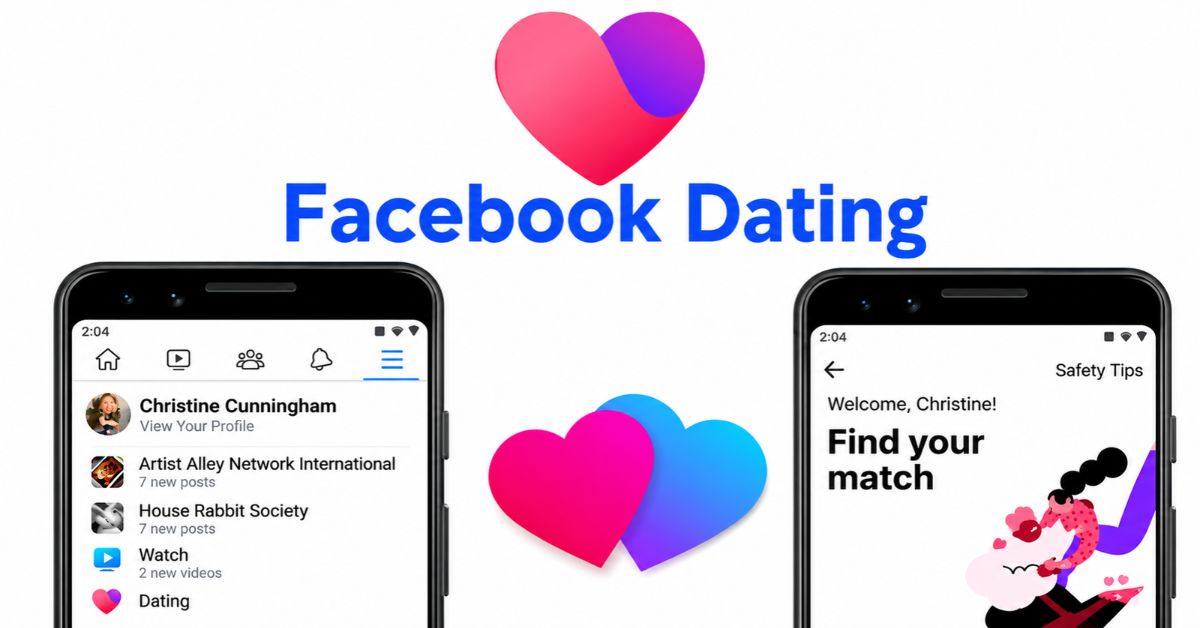
- Tap the Menu icon.
- Look for Dating among the available shortcuts.
If you cannot find it immediately, tap See More or use Facebook’s search function to look for Dating.
Remember that Facebook Dating is integrated into the main Facebook application. You do not need to download a separate Dating application or create another Facebook account.
3. Start Creating Your New Facebook Dating Profile
Once you locate Dating, tap it and select Get Started.
Facebook will guide you through a series of questions to establish your dating identity and matching preferences. You may be asked to provide:
- Your gender identity.
- The gender of people you want to meet.
- Your preferred age range.
- Your dating location.
- Other personal information relevant to matching.
Answer these questions accurately. Your selections help Facebook suggest people who meet your preferences. When you finish providing the required information, review the details and confirm your profile to continue.
One important thing to understand is that your Dating profile is separate from your regular Facebook profile. Creating one does not automatically publish a dating announcement on your timeline.
4. Upload Pictures That Make Your Profile Attractive
Your pictures are among the first things potential matches will notice. Therefore, avoid treating the photo section as an afterthought. Facebook Dating allows users to add photos and prompts to their profiles, with a maximum of 12 combined items under its current profile guidance.
For a more appealing profile:
Choose a clear first picture: Use a recent photograph where your face is easily recognisable. Avoid sunglasses, heavy filters or pictures taken from too far away.
Include different pictures: You can add photographs showing your hobbies, favourite activities, travels or everyday lifestyle.
Avoid misleading photographs: Using someone else’s picture or an outdated photograph can create trust problems when you eventually meet.
Keep your pictures appropriate: Your Dating profile should represent you genuinely rather than function as a collection of edited photographs.
You do not need professional photography. Clear, natural pictures are often more useful than heavily edited images.
5. Write a Dating Bio That Gives People a Reason to Connect
A good Facebook Dating bio should communicate something interesting about you without turning into a lengthy personal history.
Instead of writing something generic like “I love travelling and meeting new people,” provide details that make it easier for someone to start a conversation.
For example:
“I enjoy weekend road trips, discovering new restaurants and having conversations that go beyond small talk. I’m interested in meeting someone genuine who appreciates humour, honesty and a good sense of adventure.”
You can also use Facebook Dating prompts to introduce your personality.
Your answers should give potential matches something specific to respond to. Mentioning a favourite activity, an interesting experience or something you would like to try can make your profile more approachable.
6. Set Your Dating Location and Match Preferences
If your intention is to meet singles around you, pay particular attention to your location and distance settings. Open Dating preferences and review the available options, you can adjust preferences such as:
- Preferred age range.
- Distance from your location.
- Gender identity of potential matches.
- Other available personal preferences.
Facebook uses location information to suggest potential matches based partly on distance.
Allow the Facebook application to access your location when requested. You should also check that your Dating location reflects where you actually live.
Some eligible users may have access to Match Anywhere, which allows them to add additional Dating locations. However, this feature is not available to every account, particularly some newly created profiles.
7. Review Your Privacy Settings Before Going Live
Before you start interacting with other singles, review your privacy preferences. Facebook Dating has separate privacy controls from your regular Facebook account.
For example:
- Your Dating activity does not automatically appear on your Facebook News Feed.
- Your current Facebook friends are not normally suggested as potential matches.
- You can use Secret Crush to express interest in selected Facebook friends or Instagram followers.
- You can block or report people you do not want interacting with you.
However, do not assume that your Dating profile is invisible to everyone you know. Other eligible Dating users may still encounter your profile.
Facebook also keeps Dating conversations separate from Messenger. You should check the Dating Matches section when looking for messages from people you have connected with.
8. Start Using Your New Facebook Dating Profile
Once your profile is complete, you can begin exploring suggested matches. Rather than liking every profile you encounter, pay attention to the person’s introduction, interests and relationship expectations.
When someone catches your attention, you can like their profile or comment on a particular picture or prompt. If the interest is mutual, Facebook Dating allows you to start a conversation.
Do not rush to exchange sensitive personal information or arrange private meetings. Take time to establish trust, and choose a public location if you eventually decide to meet.
Why Is My New Facebook Dating Profile Not Working?
Sometimes users complete the registration process but experience problems accessing or using Dating.
Here are a few possible explanations:
Your Facebook account is too new: Facebook generally requires an account to be at least 30 days old.
Your location is unsupported: Dating is not available in every country. Changing your phone settings will not remove this restriction.
Your account has restrictions: Previous violations of Facebook policies may affect your access.
Your location is incorrect: Location mismatches can interfere with local match suggestions.
You recently deleted another Dating profile: Facebook generally requires a seven-day waiting period before you can create another Dating profile.
If you encounter an age-verification request, follow the instructions provided by Facebook rather than attempting to bypass the verification process.
Conclusion
Creating a new and working Facebook Dating profile in 2026 requires more than completing a registration form. You need an eligible Facebook account, access to Dating in your country, accurate personal information and matching preferences that reflect the kind of relationship you want.
Pay particular attention to your photographs, introduction and location settings. These details help potential matches understand you before deciding whether to connect.
Most importantly, be genuine. A profile that accurately represents your personality is a better starting point for building meaningful connections than one designed simply to attract as many likes as possible.
Frequently Asked Questions
1. Can I create a Facebook Dating profile without creating another Facebook account?
Yes. You only need an existing eligible Facebook account. Dating creates a separate profile within the main application.
2. Can I change my Facebook Dating profile after creating it?
Yes. You can edit many profile details, replace pictures, update prompts and change your matching preferences. However, your Dating profile name and age cannot ordinarily be changed within Dating.
3. Can I create Facebook Dating on my computer?
No, Facebook Dating is designed for the Facebook mobile application on Android and iPhone.
4. Will deleting my Facebook Dating profile delete my main Facebook account?
No, you can delete your Dating profile without deleting your regular Facebook account. However, deleting the Dating profile also removes its associated matches, likes, conversations and profile information.