Have you opened Facebook expecting to use Facebook Dating, only to discover the Dating option is missing completely? You are not alone. Many users on both iPhone and Android experience this frustrating issue every day.
Sometimes the Dating tab disappears suddenly. Other times, it never appears at all after installing Facebook. The good news is that most Facebook Dating problems can be fixed within a few minutes.
In this guide, you will learn the major reasons Facebook Dating is not showing on your app and the exact steps to fix it on Android and iPhone devices.
Why Facebook Dating Is Not Showing on Your App
Below are the most common reasons the Facebook Dating feature may not appear on your iPhone or Android phone.
1. Your Facebook App Is Outdated
One of the biggest reasons Facebook Dating does not show is using an old version of the Facebook app. Facebook regularly updates its features, and outdated versions may fail to display Dating completely.
How To Fix It
- Open the Google Play Store or Apple App Store
- Search for Facebook
- Tap “Update”
- Restart your phone
- Open Facebook again
After updating, check the Menu section to see if Dating appears.
2. Facebook Dating Is Not Available in Your Country
Facebook Dating is only available in selected countries and regions. If the feature has not been launched in your location, it will not appear on your app.
What You Can Do
- Confirm whether Facebook Dating is supported in your country
- Avoid fake APK downloads claiming to unlock Dating
- Wait for Facebook to officially release the feature in your area
3. You Are Using Facebook Lite
Many users mistakenly use Facebook Lite and expect Dating to appear there.
Unfortunately, Facebook Dating mainly works on the standard Facebook app and may not show on Lite versions or mobile browsers.
Solution
Install the regular Facebook app from:
4. Your Facebook Account Is Too New
Facebook may temporarily hide Dating from newly created accounts to reduce spam and fake profiles.
To Improve Your Chances
- Add a real profile picture
- Complete your Facebook bio
- Add friends gradually
- Stay active on Facebook for some time
Older and more active accounts are more likely to receive access faster.
5. You Are Below 18 Years Old
Facebook Dating is strictly for adults aged 18 and above. If your Facebook birth date shows you are under 18, the feature will not appear.
Fix
- Check your Facebook birth date
- Correct any wrong age information
- Wait if your account is genuinely underage
6. Location Permission Is Disabled
Facebook Dating depends heavily on location services to suggest nearby matches. If location permission is turned off, Dating may disappear or fail to work properly.
How To Enable Location on iPhone
- Open Settings
- Go to Apps
- Tap Facebook
- Select Location
- Choose “While Using the App”
How To Enable Location on Android
- Long press the Facebook app
- Tap App Info
- Select Permissions
- Tap Location
- Allow access while using the app
7. Your Internet Connection Is Poor
A weak network can prevent Facebook features from loading correctly.
Quick Fixes
- Switch between Wi-Fi and mobile data
- Turn Airplane Mode on and off
- Restart your router
- Try again later
8. Facebook Cache Is Corrupted
Sometimes Facebook stores damaged temporary files that interfere with app features.
Clear Facebook Cache on Android
- Open Settings
- Tap Apps
- Select Facebook
- Go to Storage
- Tap “Clear Cache”
For iPhone Users
iPhones do not offer direct cache clearing. Instead:
- Delete the Facebook app
- Reinstall it from the App Store
This usually refreshes the app completely.
9. Facebook Dating Was Deleted Previously
If you previously deleted your Facebook Dating profile, Facebook may temporarily block you from recreating it immediately. According to reports, users often have to wait several days before accessing Dating again.
10. Facebook Server Problems
Sometimes the issue is not from your phone at all. Facebook servers occasionally experience glitches or outages that affect Dating visibility and matching features.
What To Do
- Wait a few hours
- Restart the app later
- Check online discussions to see if others have the same issue
Many users on Reddit have also complained about Dating suddenly disappearing without explanation.
How To Access Facebook Dating on Android and iPhone
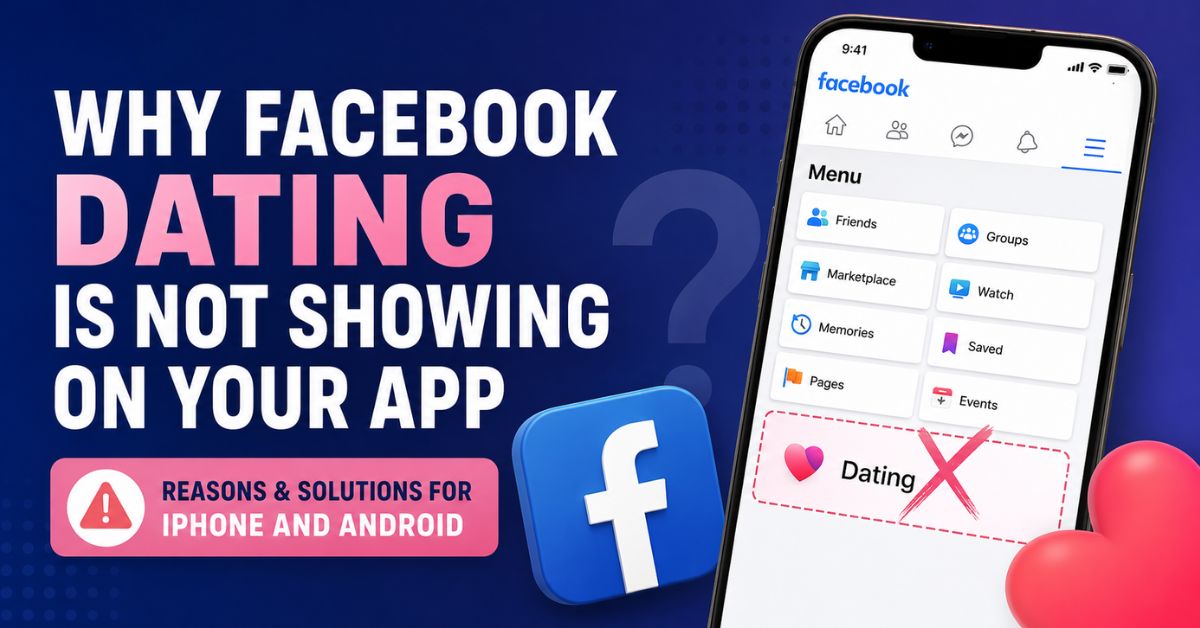
Once everything is working properly, here is how to locate Facebook Dating:
- Open the Facebook app
- Tap the Menu icon (☰)
- Scroll down
- Tap “Dating”
If it still does not appear, use the search bar inside Facebook and type “Facebook Dating.”
Conclusion
Facebook Dating not showing on your app can happen for many reasons, including outdated apps, location restrictions, account issues, disabled permissions, or server problems. Thankfully, most of these problems are easy to solve.
For both iPhone and Android users, updating the Facebook app, enabling location services, clearing cache, and using the regular Facebook app instead of Facebook Lite are often the quickest fixes.
If none of the solutions work, patience may be necessary because some Facebook accounts receive the Dating feature gradually depending on account activity and region.