A customer database copied to an employee’s personal laptop, confidential documents sent to the wrong email address or sensitive company files uploaded to an unsecured cloud account can expose a business to serious financial and legal problems.
These incidents do not always involve hackers. Sometimes, ordinary employee activities, weak access controls and poorly managed file-sharing systems are responsible.
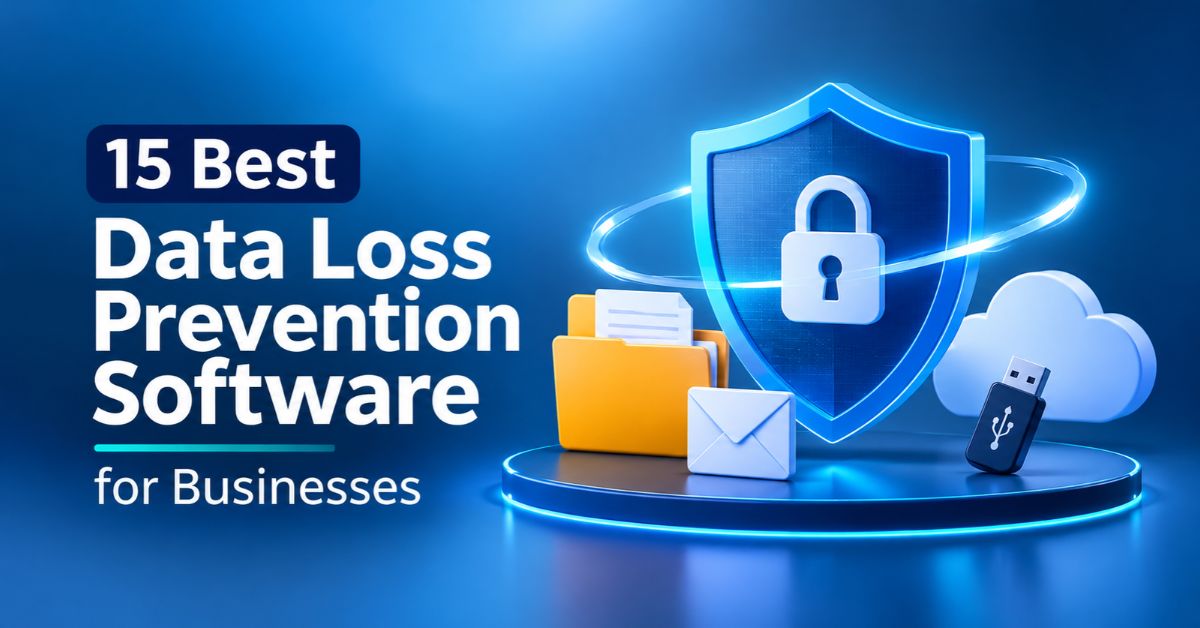
Data Loss Prevention (DLP) software helps businesses identify sensitive information, monitor how it moves and prevent unauthorized sharing through email, cloud applications, removable storage devices and other channels.
However, different solutions offer different levels of protection. Here are 15 options worth considering, including their features, costs and ideal users.
15 Best Data Loss Prevention Software for Businesses
1. Microsoft Purview Data Loss Prevention
Microsoft Purview is a strong option for organizations already using Microsoft 365. It identifies sensitive information and protects it across supported services, including Exchange, SharePoint, OneDrive and Teams.
Key features:
- Sensitive information classification.
- Financial and personal data detection.
- Email and document protection.
- Endpoint data loss prevention.
- Compliance monitoring.
Cost: Microsoft Purview Suite is listed at $12 per user monthly with annual billing. Some features are included in qualifying Microsoft 365 E5 subscriptions.
Best for: Businesses operating within the Microsoft ecosystem.
2. Forcepoint Data Loss Prevention
Forcepoint helps organizations control how sensitive information moves across networks, endpoints and cloud environments. Its risk-adaptive capabilities allow security teams to assess user activities and respond to potential threats.
Key features:
- Content inspection and classification.
- Endpoint and network monitoring.
- Behaviour-based risk analysis.
- Cloud application protection.
- Compliance policy templates.
Cost: Custom enterprise pricing.
Best for: Large businesses, financial institutions and organizations handling regulated information.
3. Symantec Data Loss Prevention
Now part of Broadcom’s security portfolio, Symantec DLP provides extensive protection for organizations with complex IT environments. It identifies sensitive information and monitors attempts to transfer it through unauthorized channels.
Key features:
- Endpoint monitoring.
- Network data protection.
- Sensitive document discovery.
- Email security controls.
- Centralized policy management.
Cost: Custom enterprise quotations.
Best for: Large organizations with established security departments.
4. Proofpoint Enterprise DLP
Proofpoint focuses on protecting information from employee-related risks, email exposure and unauthorized data sharing. It is particularly useful for businesses that regularly exchange confidential documents with customers and external partners.
Key features:
- Email data loss prevention.
- Endpoint protection.
- Sensitive information detection.
- Insider threat monitoring.
- Policy-based protection.
Cost: Custom pricing.
Best for: Businesses handling large volumes of sensitive email communication.
5. Trellix Data Loss Prevention
Trellix helps organizations monitor and control how information moves through computers, networks and removable devices. Its device control capabilities are particularly useful for restricting unauthorized transfers through USB storage devices.
Key features:
- USB and removable media restrictions.
- Endpoint data protection.
- Network monitoring.
- Sensitive information classification.
- Security incident reporting.
Cost: Quote-based.
Best for: Enterprises requiring detailed endpoint and device protection.
6. Netskope One Data Loss Prevention
Netskope is particularly relevant to businesses that depend on cloud applications and remote working. Its DLP capabilities monitor sensitive information moving between employees, cloud platforms and external services.
Key features:
- Cloud application monitoring.
- Real-time data protection policies.
- SaaS security controls.
- Web traffic inspection.
- Unauthorized cloud-sharing protection.
Cost: Custom pricing.
Best for: Cloud-first businesses and organizations with remote employees.
7. Zscaler Data Loss Prevention
Zscaler provides cloud-delivered security services with DLP capabilities. It helps businesses monitor sensitive information moving through web traffic, cloud applications and supported endpoints.
Its integration with the company’s broader Zero Trust security environment is an additional advantage.
Key features:
- Cloud DLP inspection.
- Sensitive data classification.
- Web and SaaS protection.
- Policy-based access controls.
- Network data protection.
Cost: Custom enterprise pricing.
Best for: Businesses adopting cloud security and Zero Trust solutions.
8. CrowdStrike Falcon Data Protection
CrowdStrike Falcon Data Protection extends the company’s endpoint security capabilities into data protection. It helps organizations understand how sensitive information is accessed, transferred and potentially exposed through employee devices.
Key features:
- Endpoint data monitoring.
- Data movement visibility.
- Sensitive information identification.
- Unauthorized transfer protection.
- Falcon platform integration.
Cost: Contact CrowdStrike for a quotation.
Best for: Businesses already using CrowdStrike endpoint security products.
9. Fortra Digital Guardian
Digital Guardian is an enterprise-focused DLP solution for protecting intellectual property, confidential documents and sensitive business information. It is particularly useful for organizations working with proprietary designs, source code and research materials.
Key features:
- Endpoint data monitoring.
- Data discovery and classification.
- Insider risk visibility.
- Network protection.
- Security reporting.
Cost: Custom pricing.
Best for: Technology companies, manufacturers and research-intensive businesses.
10. Endpoint Protector by CoSoSys
Endpoint Protector is useful for businesses concerned about unauthorized file transfers through USB drives and connected devices. It provides tools for controlling removable storage and monitoring sensitive information on employee computers.
Key features:
- USB device control.
- Endpoint DLP.
- Content-aware protection.
- File transfer restrictions.
- Windows, macOS and Linux support.
Cost: Contact the vendor for current licensing options.
Best for: Small and medium-sized businesses needing stronger endpoint control.
11. Safetica
Safetica combines data protection with insider risk management. It helps businesses understand how employees interact with confidential information and identify potentially risky activities without requiring an overly complicated enterprise security environment.
Key features:
- Employee activity monitoring.
- Data classification.
- USB and application controls.
- Insider risk detection.
- Security incident reporting.
Cost: Public pricing has been listed from approximately $72 per user annually. Confirm current packages and regional rates.
Best for: Small and medium-sized businesses.
12. Teramind
Teramind combines employee activity monitoring with DLP capabilities. Instead of simply identifying sensitive documents, it helps businesses understand the activities surrounding potential information leaks.
Key features:
- User activity monitoring.
- Insider threat detection.
- File transfer monitoring.
- Policy-based restrictions.
- Behavioural analytics.
Cost: DLP packages have been listed from approximately €30 per seat monthly. Confirm current plans and billing conditions.
Best for: Businesses concerned about insider threats and employee-related data exposure.
13. Nightfall AI
Nightfall focuses on protecting sensitive information across cloud applications and collaboration platforms. It is relevant to businesses using tools such as Slack, Google Drive and GitHub, where confidential information can accidentally appear in shared conversations, files or code repositories.
Key features:
- Cloud-native DLP.
- Sensitive information detection.
- SaaS application monitoring.
- Automated remediation.
- Accidental exposure protection.
Cost: Custom pricing.
Best for: Technology companies, remote teams and SaaS-dependent businesses.
14. Google Workspace Data Loss Prevention
Businesses using Google Workspace can access built-in data protection capabilities. Depending on their subscription, administrators can configure policies to identify sensitive information and restrict how it is shared through supported Google services.
Key features:
- Google Drive content inspection.
- Sensitive information detection.
- Sharing restrictions.
- Policy alerts.
- Workspace administration integration.
Cost: Included in qualifying Google Workspace editions. Feature availability depends on the subscription.
Best for: Businesses, schools and organizations relying on Google Workspace.
15. Palo Alto Networks Enterprise DLP
Palo Alto Networks offers data protection capabilities through its wider security ecosystem, including Prisma SASE. It helps organizations monitor sensitive information across supported networks, cloud environments and user connections.
Key features:
- Cloud and network data inspection.
- Sensitive information identification.
- Policy-based protection.
- Security platform integration.
- Enterprise data protection.
Cost: Custom pricing based on selected products and services.
Best for: Large businesses with established Palo Alto Networks security infrastructure.
What Should Businesses Consider Before Buying DLP Software?
Choosing DLP software should not begin with the most expensive product. The important question is whether it protects the places where your company’s sensitive information actually moves.
Consider these factors:
1. Data coverage: Check whether the software protects endpoints, emails, cloud applications, networks and removable devices.
2. Detection accuracy: Look for tools that recognize sensitive information through patterns, document matching and contextual analysis. Poor detection can generate excessive false alerts.
3. Automatic enforcement: Monitoring is useful, but blocking unauthorized transfers, restricting access and quarantining exposed files provide stronger protection.
4. Integration: Choose software compatible with your existing operating systems, cloud platforms, email services and security infrastructure.
5. Compliance support: Businesses handling personal, medical or financial information should consider solutions that support relevant regulatory and data protection requirements.
6. Total cost: Examine licensing, implementation, employee coverage, technical support and maintenance. A cheap subscription can become expensive if additional products or specialist management are required.
Final Thoughts
The best data loss prevention software depends on the information your business handles and how employees access it.
Microsoft Purview and Google Workspace DLP are sensible starting points for businesses using their respective platforms. Safetica and Endpoint Protector are worth investigating for smaller organizations, while Forcepoint, Symantec, Netskope and Proofpoint offer options for more complex enterprise environments.
Before purchasing, request a demonstration or proof of concept. Test the software against real business workflows to determine whether it detects sensitive information without unnecessarily interrupting legitimate employee activities.
A good DLP solution should make business information safer without making everyday operations unnecessarily difficult.