It’s easy to block someone on a dating platform when things don’t feel right—but what happens when you change your mind? Maybe it was a misunderstanding, or you’re willing to give the person another chance. The good news is that Facebook Dating allows you to unblock users in just a few simple steps.
In this guide, you’ll learn exactly how to unblock someone on Facebook Dating, what to expect afterward, and important things to keep in mind before you do.
Can You Unblock Someone on Facebook Dating?
Yes, you can, Facebook Dating gives users full control over their interactions, including the ability to reverse a block. However, unblocking someone doesn’t automatically restore your previous connection or chat history—you’ll essentially be starting fresh.
Step-by-Step: How To Unblock Someone on Facebook Dating
Follow these simple steps to unblock someone:
1. Open the Facebook App
Launch the Facebook app on your mobile device and log into your account.
2. Access Facebook Dating
Tap on the Dating icon (heart symbol) to enter the Facebook Dating section.
3. Go to Settings
Look for the gear icon in the top-right corner of the screen and tap on it to open your Dating settings.
4. Find the “Blocked People” Section
Scroll through the settings menu until you see Blocked People or Blocked Accounts.
5. Select the Person You Want to Unblock
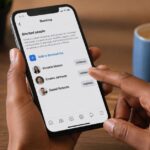
You’ll see a list of users you’ve blocked. Locate the person you want to unblock.
6. Tap “Unblock”
Click on the Unblock option next to their name and confirm your choice.
Once you do this, the person will be removed from your blocked list.
What Happens After You Unblock Someone?
Unblocking someone comes with a few important changes:
- They can potentially see your dating profile again
- They may appear in your suggestions or matches
- You can interact with them again if you both match
- Previous chats and matches are not restored
In short, unblocking resets your interaction with that person.
Will They Know You Unblocked Them?
No, Facebook does not notify users when they are unblocked. The person won’t receive any alert or message about your action.
However, if they come across your profile again or you match in the future, they may realize they’ve been unblocked.
Things to Consider Before Unblocking Someone
Before you go ahead and unblock someone, think carefully:
1. Why Did You Block Them Initially?
If it was due to harassment, spam, or inappropriate behavior, it might be safer to keep them blocked.
2. Are You Comfortable Interacting Again?
Only unblock someone if you feel completely safe and ready to reconnect.
3. Set Boundaries
If you do reconnect, make sure to set clear boundaries to avoid repeating past issues.
What If You Can’t Find the Person to Unblock?
If you don’t see the person in your blocked list:
- Double-check that you blocked them on Facebook Dating (not just on Facebook)
- They may have deleted their dating profile
- Their account could have been removed or restricted
In such cases, there may be nothing to unblock.
Blocking vs Unblocking: A Quick Recap
- Blocking removes someone completely from your dating experience
- Unblocking allows them to potentially reappear, but doesn’t restore past interactions
Understanding this difference helps you manage your connections more effectively.
Safety Tips When Reconnecting
If you decide to give someone another chance, keep these tips in mind:
- Take things slow—don’t rush back into conversations
- Avoid sharing personal or sensitive information too quickly
- Pay attention to any red flags
- Use the block or report feature again if needed
Your safety should always come first.
Conclusion
Unblocking someone on Facebook Dating is simple, but it’s a decision that should be made carefully. While the platform gives you flexibility, it’s important to prioritize your comfort and security at all times.
Whether you’re reconnecting or just exploring your options, make sure your online dating experience remains positive and stress-free.