Facebook is no longer just a platform for sharing photos, videos, and life updates. With the introduction of Facebook Dating, millions of users now have access to a built-in dating feature that helps them connect with singles based on location, interests, and preferences.
If you’ve been wondering how to activate Facebook Dating and start meeting singles near you, this guide will walk you through every step. Whether you’re new to online dating or simply trying Facebook Dating for the first time, you’ll discover how to set up your profile, increase your visibility, and find meaningful matches in your area.
Requirements for Activating Facebook Dating
Before you can access Facebook Dating, ensure that you meet the following requirements:
1. You Must Have a Facebook Account
A valid Facebook account is required. New accounts may not immediately qualify for Facebook Dating because Facebook often prioritizes established and active profiles.
2. Be at Least 18 Years Old
Facebook Dating is available only to users who are 18 years or older.
3. Update Your Facebook App
Many users fail to see the Dating feature simply because they are using an outdated version of the Facebook app.
Visit the Google Play Store or Apple App Store and install the latest update.
4. Live in a Supported Country
Facebook Dating is not available everywhere. Ensure the feature has been launched in your country.
5. Enable Location Services
Since Facebook Dating connects you with singles nearby, location access must be turned on.
How to Activate Facebook Dating
Follow these simple steps to activate Facebook Dating successfully:
Step 1: Open the Facebook App
Launch the Facebook mobile application on your Android or iPhone device.
Step 2: Access the Menu
Tap the three horizontal lines (Menu icon) located at the top or bottom corner of the app.
Step 3: Locate Dating
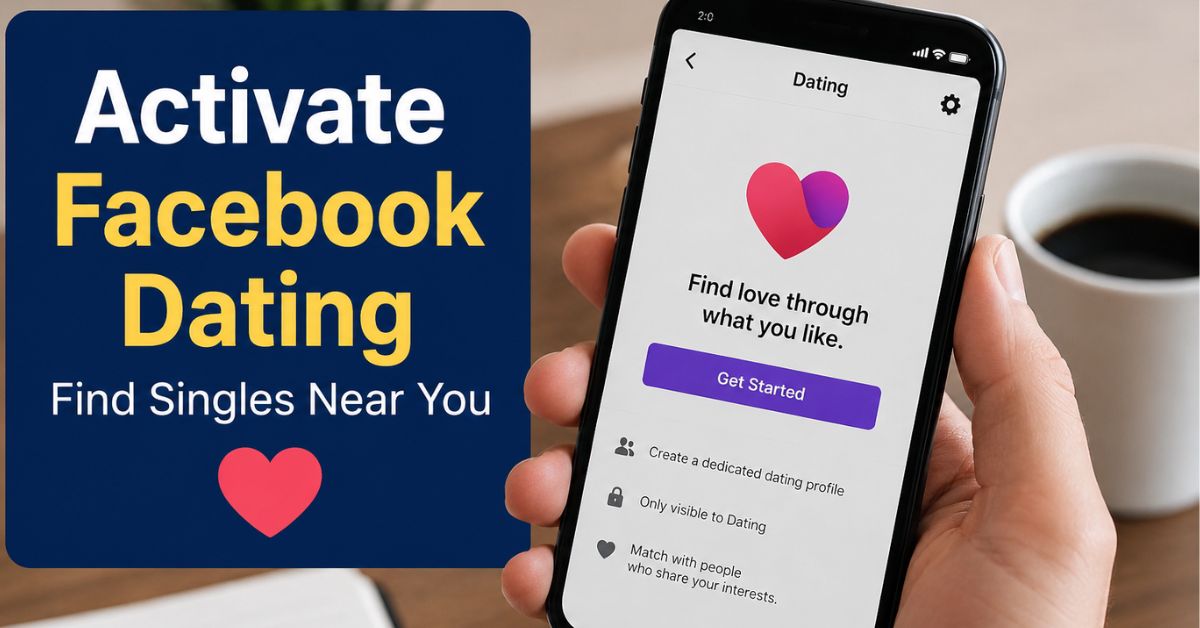
Scroll through the available features until you find “Dating.” Tap on it to begin the setup process.
Step 4: Create Your Dating Profile
Facebook will prompt you to create a separate dating profile. You will be asked to provide:
- Your gender
- Dating preferences
- Photos
- Bio and personal details
- Interests and hobbies
Remember that your Dating profile is separate from your main Facebook profile.
Step 5: Verify Your Location
Facebook uses your location to recommend nearby singles. Confirm your city and allow location access when prompted.
Step 6: Complete Your Profile
Add high-quality photos and write an engaging bio that reflects your personality. Profiles with complete information generally receive more match suggestions.
Step 7: Start Discovering Singles
Once your profile is active, Facebook will begin recommending potential matches based on your preferences and location. You can like profiles, send interest signals, and start conversations when mutual interest is established.
How Facebook Dating Finds Singles Near You
Facebook Dating uses several factors to identify compatible matches:
Location
The platform prioritizes users who are geographically close to you.
Shared Interests
Facebook analyzes common interests, hobbies, and activities.
Groups and Events
People who belong to similar Facebook Groups or attend similar events may appear as potential matches.
Dating Preferences
Age range, distance settings, relationship goals, and other preferences help refine match recommendations.
Tips to Get More Matches on Facebook Dating
Activating Facebook Dating is only the first step. To improve your chances of finding compatible singles, consider the following tips.
Use Clear and Recent Photos
Profiles with authentic and high-quality pictures tend to attract more attention.
Write a Genuine Bio
Avoid generic descriptions. Mention your interests, hobbies, goals, and what you’re looking for in a partner.
Stay Active
Regular activity signals to Facebook that you’re actively searching, which may improve profile visibility.
Expand Your Preferences
Being overly restrictive with age, distance, or interests can limit your match opportunities.
Engage Respectfully
Meaningful conversations often lead to better connections than generic opening messages.
Why Facebook Dating May Not Be Showing
If you cannot find Facebook Dating, one of these reasons may apply:
- Your Facebook app needs updating.
- You are under 18 years old.
- Facebook Dating is unavailable in your region.
- Your account is new or restricted.
- Location services are disabled.
- You have previously deleted your Dating profile and are within the waiting period.
Is Facebook Dating Safe?
Facebook Dating includes several safety features designed to protect users:
- Separate dating profile.
- Ability to block and report users.
- Option to share date plans with trusted friends.
- Restricted screenshot capabilities in some regions.
- Control over who can view your dating profile.
Always exercise caution when meeting someone for the first time and avoid sharing sensitive personal information too quickly.
Conclusion
Facebook Dating offers one of the easiest ways to connect with singles without downloading another dating application. By updating your Facebook app, enabling location services, and creating a complete profile, you can quickly activate Facebook Dating and begin meeting compatible singles near you.
The key to success is presenting an authentic profile, staying active, and engaging in meaningful conversations. With the right approach, Facebook Dating can become a valuable tool for building friendships, relationships, and lasting connections.
Frequently Asked Questions
Is Facebook Dating Free?
Yes, Facebook Dating is completely free to use.
Can My Facebook Friends See My Dating Profile?
No, your Facebook friends generally won’t see your dating profile unless they are added through specific features like Secret Crush.
Do I Need a Separate App?
No, Facebook Dating is built directly into the Facebook app.
Can I Change My Location?
Facebook primarily uses your current location, but some location settings can be adjusted depending on your region.